Guides · File size & quality
GIF dithering explained: when it helps and when it just adds size
Dithering hides color banding in photos but fills flat graphics with noise. Side-by-side crops and measured file sizes show when to turn it on or off.
By Li Jiang · Published · 4 min read
Tested: EasyGIF's encoder (gifenc with Floyd–Steinberg dithering) run on a 24-frame pan and a 6-photo slideshow made from Pexels photos, and a 20-frame drawn screen recording; measured 2026-10-29
Every GIF frame is limited to a palette of 256 colors; the GIF89a specification gives the color table a 3-bit size field, so 2⁸ is the maximum. A photo can easily contain tens of thousands of distinct colors, so making a GIF always means choosing which 256 to keep and deciding what to do with every pixel whose real color isn't in the palette. Dithering is one answer to that second question. It's on by default in EasyGIF, and it's the setting that most often makes a GIF bigger than it needs to be.
What dithering does
Without dithering, every pixel is simply replaced by the nearest palette color. In smooth areas such as skin, sky, or a soft shadow, a whole run of slightly different shades snaps to the same color, and you see flat bands with hard steps between them.
With dithering, the encoder replaces each pixel by its nearest palette color too, but it keeps track of the error, the difference between the real color and the one it used, and pushes that error onto the neighboring pixels that haven't been processed yet. EasyGIF uses Floyd–Steinberg dithering, which sends 7/16 of the error to the pixel on the right and splits the rest across the three pixels below. The result is a fine pattern of two or three palette colors that your eye averages into the missing shade.
The trade-off is that the pattern is noise. GIF compresses with LZW, which shrinks long runs of identical values; scattered pixels break those runs.
Photos: dithering earns its bytes at low color counts
We encoded a 24-frame, 480 × 270 px clip of a portrait at each color count, with dithering on and off. Here is one frame at 32 colors, enlarged 3× so you can see individual pixels:
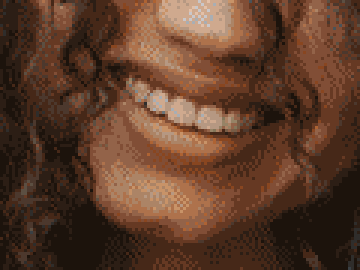
Dithering on
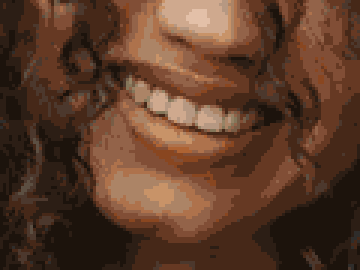
Dithering off
And the measured sizes for the whole clip:
| Colors | Dithering on | Dithering off | Saved by turning it off |
|---|---|---|---|
| 256 | 2,107 KB | 1,744 KB | 17% |
| 128 | 1,676 KB | 1,386 KB | 17% |
| 64 | 1,327 KB | 1,077 KB | 19% |
| 32 | 1,022 KB | 784 KB | 23% |
At 256 colors the palette already covers most of a single photo's shades, so banding is mild and turning dithering off is a cheap 17% saving. At 64 colors or fewer, banding becomes obvious on faces and skies, and dithering is usually worth its cost.
One caveat about the numbers: if you measure quality with PSNR, the usual pixel-by-pixel error score, dithered GIFs score lower (at 32 colors, 28.8 dB with dithering against 31.8 dB without). PSNR counts every scattered pixel as an error, while your eye blends them. Trust the side-by-side view, not the score.
Flat graphics and screen recordings: turn it off
Screen recordings, UI demos, logos, stickers, charts, and illustrations are made of a limited set of flat colors that usually fit in the palette exactly. Dithering has nothing to hide there, but the encoder still diffuses small errors around anti-aliased edges and subtle gradients, sprinkling noise across areas that should be solid.
We recorded a 20-frame, 640 × 400 px clip of a simple app window (a list filling in while the cursor moves):
Dithering on
Dithering off
| Colors | Dithering on | Dithering off | Saved |
|---|---|---|---|
| 256 | 385 KB | 106 KB | 73% |
| 64 | 231 KB | 99 KB | 57% |
| 32 | 212 KB | 93 KB | 56% |
The two crops look the same, yet the dithered file is two to almost four times bigger. For anything that came from a screen, turning dithering off is the single biggest size win available.
A quick way to decide
- Photos, video clips, skin, skies, soft shadows: keep dithering on, especially at 128 colors or fewer.
- Screen recordings, UI, text, logos, stickers, pixel art, charts: turn it off.
- Mixed content (a product photo on a flat background, a video with big captions): try both and compare the preview and the size. In EasyGIF, the Create GIF preview shows the exact file size, so this takes a few seconds.
Dithering and flicker
Because each frame is dithered on its own, the dot pattern can shift from frame to frame even where the picture doesn't move, which shows up as a faint shimmer in still areas. Two things reduce it: turning dithering off, or turning on One palette for all frames so every frame chooses from the same colors. Be aware that a shared palette with dithering on can make flat content larger; our file size guide has the measurements.
Where to find it in EasyGIF
Open the Style tab. Dithering is a checkbox under Quality, next to the number of colors (256, 128, 64, or 32) and One palette for all frames. The settings apply to every frame, and nothing is final until you click Create GIF, so you can compare as many combinations as you like.
Try it on your own files
Free, no sign-up, and made on your device. Nothing is uploaded.
Open the GIF editorSources (last checked October 10, 2026)
Spotted something out of date? Please let us know.